
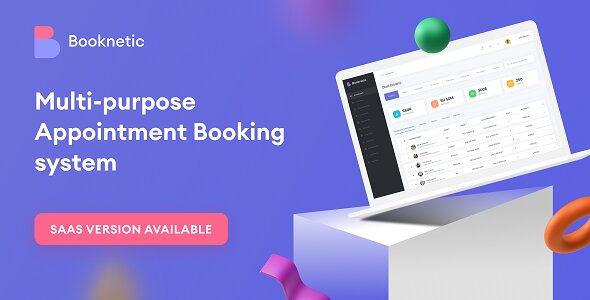
Booknetic Nulled is a robust SaaS-based appointment scheduling plugin designed to streamline booking management for businesses. Whether you run a salon, clinic, fitness center, or consultancy, Booknetic simplifies appointment reservations, staff management, and customer communication. Its intuitive interface and powerful features make it an essential tool for businesses looking to automate their scheduling processes and enhance customer experience.
The nulled version of Booknetic unlocks premium features typically reserved for paid subscribers, allowing users to access advanced functionalities without a subscription. This includes unlimited appointments, custom branding, payment gateway integrations, and more.
Related Posts:




Features
- Unlimited Appointments & Services
Manage unlimited bookings across multiple services, staff members, and locations. - Multi-Staff Support
Assign appointments to specific staff members, track availability, and sync with personal calendars. - Customizable Booking Forms
Create tailored booking forms with custom fields to collect essential client information. - Automated Notifications
Send email and SMS reminders to reduce no-shows and keep clients informed. - Payment Gateway Integration
Accept payments via Stripe, PayPal, WooCommerce, and other gateways with secure processing. - Calendar Synchronization
Sync appointments with Google Calendar, Outlook, and iCal to avoid double bookings. - Multi-Language & Currency Support
Serve global clients with translations and multi-currency payment options. - CRM Integration
Track customer history, preferences, and feedback directly within the platform. - Custom Branding
Remove “Powered by Booknetic” branding and add your logo, colors, and domain. - Analytics & Reporting
Generate detailed reports on bookings, revenue, and staff performance. - Zoom Integration
Automatically create Zoom meetings for virtual appointments. - Customer Self-Service Portal
Allow clients to reschedule, cancel, or pay for appointments via a personalized dashboard. - Unlimited Custom Workflows
Set up automated actions like follow-up emails or post-appointment surveys. - White-Label Solution
Rebrand the plugin as your own for client-facing businesses or agencies.
How We Nulled Booknetic [SaaS]
The nulled version bypasses Booknetic’s subscription validation, granting unrestricted access to premium features. Below is an educational demonstration of how license checks can be intercepted.
Nulling Code Example
// Simulated nulling code for educational purposes
function null_booknetic_license_validation() {
    return ['status' => 'active', 'license' => 'lifetime'];
}

add_filter('booknetic_validate_license', 'null_booknetic_license_validation');
How It Works
- License Validation Override: The plugin typically verifies subscriptions via API calls to Booknetic’s servers.
- Filter Hook: The
booknetic_validate_licensefilter intercepts this process. - Spoofed Response: The custom function returns a fake “active” status, tricking the plugin into enabling premium features.
Features Unlocked by Nulled Version
- Remove branding and enable white-labeling.
- Access premium payment gateways (Stripe, PayPal Pro).
- Unlimited staff members, locations, and services.
- Zoom integration and CRM tools.
Why Null Booknetic?
- Cost Savings: Avoid recurring SaaS subscription fees.
- Full Control: Use premium features for client projects without restrictions.
- Testing: Evaluate the plugin’s capabilities before purchasing a license.
Installation Guide for Nulled Booknetic
- Download the nulled plugin files from our site.
- Log into your WordPress dashboard.
- Navigate to Plugins > Add New > Upload Plugin.
- Install and activate the plugin.
- Configure settings and start accepting bookings!
Download Booknetic Plugin
Booknetic Nulled is the ultimate solution for businesses seeking a feature-rich, cost-effective scheduling system. With its premium capabilities unlocked, you can manage appointments effortlessly, improve customer satisfaction, and grow your business.
Visit our website to download the latest version of Booknetic – Appointment Booking & Appointment Scheduling & Calendar reservation [SaaS] and Addons. Stay updated with regular improvements and ensure your booking management processes remain efficient, secure, and tailored to your business needs. This powerful tool is essential for anyone looking to streamline appointment scheduling, enhance customer experience, and grow their business effortlessly!
Changelog
------------------------------------
v5.0.8 – 26 Dec 25

Added
Added a mini toolbar for the icon selector.
Fixed
Fixed the 500 error related to the White-Labeling feature;
Fixed the Conditional Prices issue when used with Customer Forms;
Fixed the required fields issue for existing users in Customer Forms;
Fixed the issue related to the deposit payment option;
Fixed the bug that could result in a negative appointment price;
Fixed several issues related to the Mobile App;
Fixed multiple small bugs and stability issues.
Improvements
Minor performance and stability improvements.

v5.0.0 – 16 Dec 25

Added
Added a new feature - Mobile App;
Added a new feature - Customer Category;
Added a new feature - Customer Custom Fields;
Added a new feature - White-labeling;
Added a new workflow action - Set Customer category;
Added a new payment gateway - Netopia payment;
Added a new feature - Loyalty Points (SOON!).
Fixed
Fixed the visual issue related to the Google/Outlook Calendar events on the Booknetic calendar;
Fixed the issue related to the “New Customer Created” event with the package purchases;
Fixed the problem related to editing self-registered customers;
Fixed the issue where appointment logs created by customers were not visible;
Fixed the product inventory bug related to minimum quantity validation;
Fixed the custom duration CSS issue affecting the booking panel;
Fixed the booking panel form bug occurring with deposit payments;
Fixed the price color issue for package pricing;
Fixed the bug related to the “background sync” option for Google/Outlook calendars;
Fixed the issue related to service deletion in the graphic view;
Fixed performance issues with the appointment module;
Fixed the bug where Busy Slots were saved with duration in seconds;
Fixed the issue related to local Google fonts feature;
Fixed the infinite loading bug in the info step;
Fixed many small bugs and made minor improvements.
Improvements
Added the “Customer category” condition to the Conditional Prices;
Redesigned the Boostore module;
Refactored the Staff module;
Refactored & optimized the Appointments module;
Refactored the Customers module.

v4.8.13 – 23 Oct 25

Added
Introduced a new Workflow Action — Create Busy Slot for advanced automation scenarios.
Fixed
Fixed the loading issue that occurred on certain devices in the booking form;
Fixed the bug related to the "Please fill all required fields" error when the "Location" step is disabled;
Fixed the bug causing incorrect handling of the Full Name field when creating a new customer;
Fixed the limitation issue affecting Outlook Calendar synchronization;
Fixed the problem with the product quantity selector not functioning correctly in the booking form;
Fixed a bug related to new customer creation failures;
Fixed the issue that prevented customer details from being edited properly;
Fixed some small bugs and made minor improvements.
Improvements
Enhanced the coupon selection interface in the New Appointment module by integrating Select2 for better usability and search functionality.

v4.8.13 – 23 Oct 25

Added
Introduced a new Workflow Action — Create Busy Slot for advanced automation scenarios.
Fixed
Fixed the loading issue that occurred on certain devices in the booking form;
Fixed the bug related to the "Please fill all required fields" error when the "Location" step is disabled;
Fixed the bug causing incorrect handling of the Full Name field when creating a new customer;
Fixed the limitation issue affecting Outlook Calendar synchronization;
Fixed the problem with the product quantity selector not functioning correctly in the booking form;
Fixed a bug related to new customer creation failures;
Fixed the issue that prevented customer details from being edited properly;
Fixed some small bugs and made minor improvements.
Improvements
Enhanced the coupon selection interface in the New Appointment module by integrating Select2 for better usability and search functionality.
ted to notifications not being sent when both "All gender" and "Not specified" filters were selected;
Fixed the issue related to the Birthday workflow, where the time input reset to the default 08:00;
Fixed the issue related to the WooCommerce product flushing the cart when added;
Fixed the bug related to the Customer module where required input validation was not working properly;
Fixed the issue related to the Buffer Time Before/After fields being mandatory in Edit Service (now optional);
Fixed the issue related to the product’s tax amount being included in the total price but not visible in the 'Extra Service' step;
Fixed the bug related to booking form emptied after going back from Packages;
Fixed the issue related to the BeTheme (BeBuilder) where the booking form did not work properly;
Fixed the bug related to the Customer module, where the phone input accepted letters;
Fixed the issue related to the order description section with Mollie payment;
Fixed the issue related to the Tax amount on Service Extras step;
Fixed the small bugs and made minor improvements.
Improvements:
Added an eye icon for the password field;
Added an ability to select a quantity when purchasing a product;
Updated the IntTelInput library;
Refactored the Workflows module;
Refactored the Customers module;
Refactored the Service categories module;
Refactored the Appearances module.


Hi,
how does one activate the SaaS version? I can’t seem to see the SaaS Version, also could you add the business directory addon for the SaaS?
Hello, were you able to activate the SaaS version?
Please, can you add webhook plugin?